iSpyer – Best Phone Tracker for Parental Control

These phone monitoring apps lets you find out what they’re up to on their phone and online. And they won’t even know you’re using it.
Best Phone Tracker for Parental Control
iSPyer.com - Best Phone Tracker for Parental Control
Best Phone Tracker
for Parental Control

Monitor: Texts, Calls, Social Media, GPS, Photos & Videos, Browsing History, Apps, Calendar, Notes, and more.

Top
iSpyer.com - Responsible monitoring, for healthy relationships.
9 Parental
control
apps
Don’t argue with your child. Just install a Parental control App.

Our Partners Offer Over a Dozen Features

Stealth Mode (Invisibility)

After installation, the app hides its icon and runs silently in the background without draining the battery.

Social Media Monitoring

These apps can capture incoming and outgoing messages on platforms like WhatsApp, Messenger, Telegram, etc.

Keylogger (Keystroke Capture)

It logs every keystroke, including Google searches, messages in apps (even secure notes), and passwords.

Automated Screen Recorder

The app automatically captures a screenshot or short video whenever the child opens a specific app, like Instagram or WhatsApp, etc.

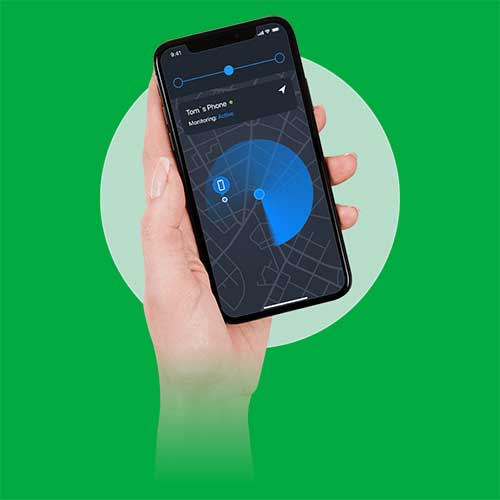
GPS Tracking with Geofencing

You don’t just see a dot on a map; you set “zones” (e.g., Home, School, Grandma’s house). The app passively monitors the GPS.

Browser History & Web Blocking

It logs every visited URL with timestamps, and top-tier apps can often access this history even in “Incognito” or “Private” mode.

Best Parental Control Apps 2025 (July) convenient, and trustable for Parent.

Get Now

Read Review

Get Now

Read Review…

  • Finally, I can sleep at night! Saved my sanity.

    I bought the parental control app from iSpyer last week after seeing good reviews. I was worried it would be too hard to install, but the instructions were crystal clear. Within 10 minutes, I was viewing texts, call logs, and location history from my own laptop. It just works. If you need to know the truth about what your kids are doing online, this is the tool you need. Thanks, iSpyer!

    Jessica Thompson

Frequently Asked Questions

Here are the 5 most common “pre-purchase” questions parents ask before buying these specific apps.

No, they won’t know. These apps are specifically designed to operate in 100% Stealth Mode. During installation, you can choose to ‘Hide Icon.’ Once you click that, the app completely disappears from the home screen and app drawer. It runs silently in the background under a disguised system name (like ‘Update Service’ or ‘Wifi System’), so even if they look at running processes, they won’t suspect a thing. Your monitoring stays completely invisible.

Absolutely not. The best apps (like mSpy and Eyezy) have evolved to offer ‘No-Jailbreak’ and ‘No-Root’ solutions.

  • For iPhone: You often don’t even need to touch the phone. If you have their iCloud credentials, you can set it up remotely.
  • For Android: You simply download a small installer link. While ‘rooting’ unlocks extra features, the standard versions are powerful enough to see texts, location, and browser history without any complicated technical hacking. It’s as easy as installing a game.

Yes, it catches what they try to hide. These apps don’t just ‘read’ messages; they use a Keylogger and Screen Recorder.

  • Keylogger: It records what they type before they hit send. So even if they delete the text immediately after, you still have the log of what was typed.
  • Screen Recorder: For apps like Snapchat where images vanish, the monitor takes rapid screenshots every few seconds. You will see the ‘disappearing’ photo in your dashboard forever, even after it’s gone from their phone.

It depends on the phone, but it is easier than you think.

  • For iPhones: In many cases, NO. If you know their iCloud login and they have backups enabled, you can set up the entire monitoring system from your own computer without ever touching their device.
  • For Android: YES, but only for 5–10 minutes. You need to unlock it once, download the installer, and hide it. After that 10-minute setup, you never need to touch the phone again; everything transmits wirelessly to your dashboard.

As long as you are the legal guardian and the child is under 18 and living in your care, the law generally views the device as your property. You have a legal right—and many would say a duty—to ensure their safety on that device. You do not need their consent to install monitoring software on a device you own and pay for to protect them from online predators, bullying, or drugs. It is a safety tool, not a crime.